 MAKIN
A field force management app that works where the signal doesn’t
What’s included
01- ✓Job allocation and route order
- ✓Offline capture with sync queue
- ✓Photo, GPS and signature proof
- ✓Checklists per job type
- ✓Attendance and expense claims
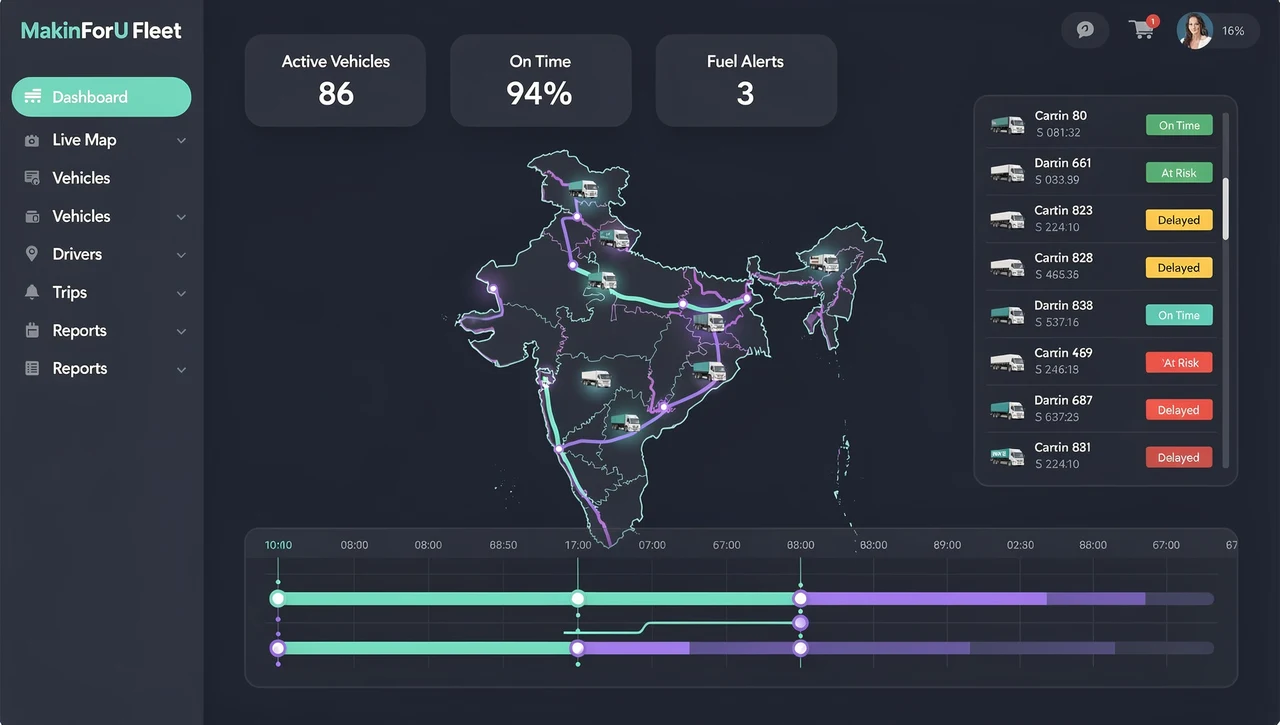
- ✓Supervisor dashboard and SLA view
The details
02What does a working day look like once it is live?
The day starts with a list of jobs already in route order, so nobody phones the office to ask where to go next. At each stop the app shows the checklist for that kind of job — an installation is not a service visit, and a site inspection is neither — and the job is closed with the photos, GPS location and customer signature that checklist asks for.
Attendance and expense claims are logged from the same app, in place of the fuel-bill photo sent on WhatsApp and the register someone fills in at the end of the week. Supervisors see all of it on one dashboard, including an SLA view of which jobs are on time against the response times you have committed to your own customers.
How do we know a visit actually happened?
The proof is recorded at the job, not reconstructed later. The GPS location is captured with the entry, and the photos and signature sit on the job record itself, so when a customer disputes whether an engineer came, or a delivery was made, the answer is on the record rather than in someone’s memory.
None of this depends on being online at the moment of the visit. Entries, photos and signatures are saved on the phone and held in a sync queue, then sent when the connection returns. For teams working in basements, plant rooms, warehouses or on highways between towns, that is what lets the job be closed on site.
Who uses it, and what does each person get?
It is most often built for logistics, manufacturing and real estate teams, and in each the same three groups use it differently. Field staff get their jobs, the checklist and a place to log attendance and expenses. Supervisors get allocation, the dashboard and the SLA view. Owners get a record of work done that no longer lives in chat groups.
- Logistics: pickups and deliveries with photo and signature proof
- Manufacturing: service engineers visiting customer plants with a checklist per machine type
- Real estate: site staff and sales teams recording visits across projects
What is not included?
Automatic route optimisation and continuous live tracking of staff through the day are not in the feature list; the app records location as proof at each job. If you need either, it is scoped on the call. Links to your ERP, CRM or Tally are also outside the list and are priced in the proposal if you need them.
Payroll is not part of the app. Attendance is recorded in the app and visible to supervisors, but running payroll with PF, ESI and TDS is a separate job: Payroll & Statutory Setup starts at ₹12,000 and is delivered in up to 7 days.
How it works
03- 0115-min callTell us what’s breaking. We ask the questions that change the price.
- 02Scope in writingA fixed quote and a written scope: what’s in, what isn’t.
- 03Build & reviewWorking software early, with review rounds on real screens.
- 04LaunchWe go live with you, train your team and hand over access.
- 05SupportFixes, changes and growth on a retainer, if you want one.
FAQ
04How much does a field force management app cost?
The Field Workforce App starts at ₹1,65,000 and is delivered in up to 3 months. It covers job allocation and route order, offline capture with a sync queue, photo, GPS and signature proof, checklists per job type, attendance and expenses, and a supervisor dashboard. Your fixed price arrives in writing after a 15-minute scope call.
How is this different from Internal Tools & Portals?
Internal Tools & Portals, from ₹45,000 in up to 30 days, replaces a shared spreadsheet for an operations team and can capture photos, GPS and signatures offline. The Field Workforce App starts from the job instead: who does which visit, in what order, against which checklist, and what the supervisor sees while the day is under way.
Can each type of job have its own checklist?
Yes. Checklists per job type are part of the package, so an installation, a repair and an inspection can each ask for different steps, readings and photos. Which job types you run, and what each checklist needs, is worked out on the scope call and written into the proposal.
What does the SLA view show?
It shows supervisors the open jobs against the response or completion times you have promised your own customers, so late jobs stand out on the dashboard instead of surfacing as complaints. The times themselves are yours to set, and which ones the dashboard tracks is agreed on the scope call.
Can we see the app working before it reaches the whole team?
Yes. On every engagement the founder works from a shared board and shows you a working demo on day one, so a supervisor and a few field staff can try each build and tell us what gets in their way before the app goes to the whole team.
More in Apps & Tools
05Also see
0615 minutes.
One quote.
Tell us what you need. We reply on WhatsApp or email with a time, and a written quote after the call.
Re: Field Workforce App